← All posts
Connecting to Azure SQL over a point-to-site VPN
Working notes on a point-to-site VPN into an Azure virtual network: self-signed certificates in PowerShell, a private endpoint for Azure SQL, and connecting from SSMS.
From the archive · a 2022 working note, kept for reference.
After successfully building a VPN connection to our Azure environment with a point-to-site (P2S) VPN, this is a note of what I did so that I can use it in the future.
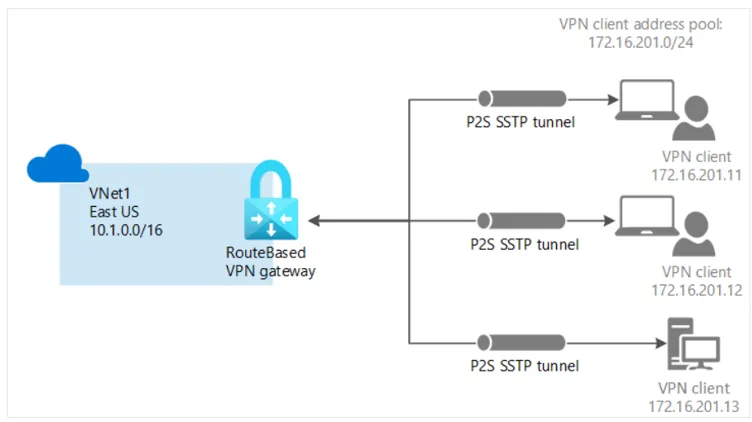
Create the self-signed root and client certificates
PowerShell script:
$cert = New-SelfSignedCertificate -Type Custom -KeySpec Signature -Subject "CN=VNETROOT" -KeyExportPolicy Exportable -HashAlgorithm sha256 -KeyLength 2048 -CertStoreLocation "Cert:\CurrentUser\My" -KeyUsageProperty Sign -KeyUsage CertSign

New-SelfSignedCertificate -Type Custom -DnsName TANLECLIENT -KeySpec Signature -Subject "CN=VNETCLIENT" -KeyExportPolicy Exportable -HashAlgorithm sha256 -KeyLength 2048 -CertStoreLocation "Cert:\CurrentUser\My" -Signer $cert -TextExtension @("2.5.29.37={text}1.3.6.1.5.5.7.3.2")
See Generate and export certificates for P2S: PowerShell - Azure VPN Gateway | Microsoft Docs.
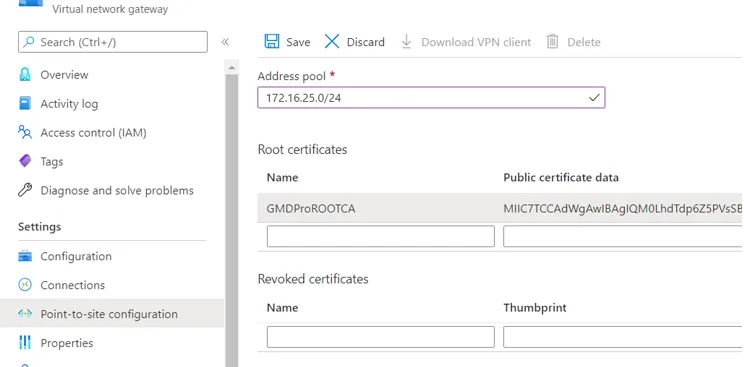
Useful guides:
- Step-by-Step guide to Azure Point-to-Site VPN - Technical Blog | REBELADMIN
- Tutorial: Connect to an Azure SQL server using an Azure Private Endpoint - Portal | Microsoft Docs
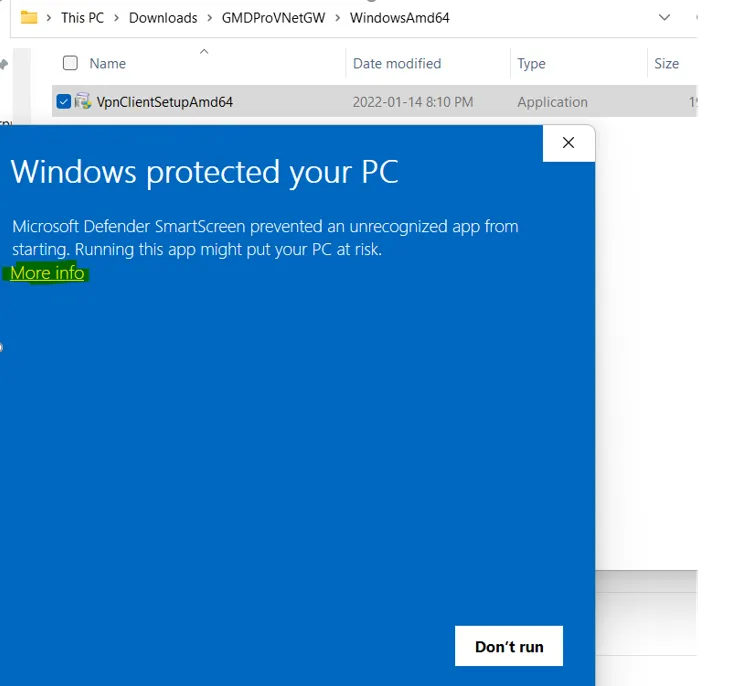
Connect to Azure SQL through the VPN
Do the following:
- Navigate to Firewalls and virtual networks of your SQL server and set Deny public network access to yes.
- Create an Azure private endpoint. It creates an endpoint for the SQL server within your virtual network, assigned a private IP from the subnet’s IP range. You use this private IP to connect to the SQL server.
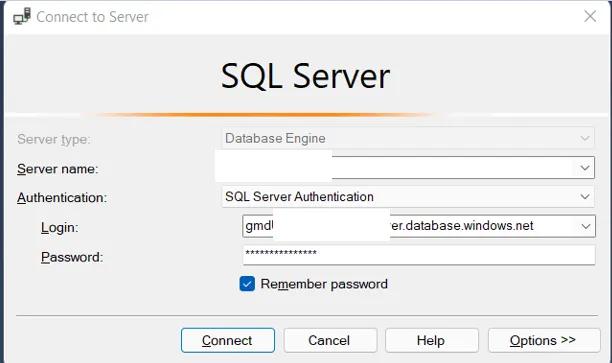
- On your local machine, make sure you’re connected to the VPN and open SQL Server Management Studio:
- Under Server name, enter the private IP address of the private endpoint created in step 2.
- The login part can be a bit tricky. Under Login, enter the username in the format
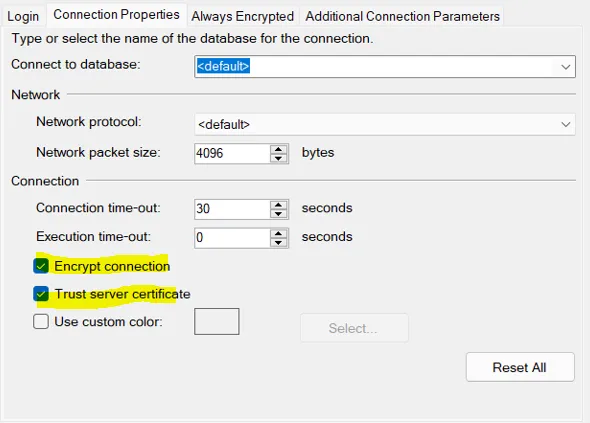
username@public_sql_server_name(e.g.[email protected]). For the password, just enter your password. - Last, click Options and go to Connection properties. Check Encrypt connection and Trust server certificate. This is required because the server’s certificate is issued to
my-sql-server.database.windows.netand you’re accessing it via a private IP. Without it, Management Studio won’t trust the server’s certificate and will refuse the connection.
References
First published on tanldt.blogspot.com on Feb 19, 2022.