← All posts
Power Automate business case: shared mailbox attachments to SharePoint
A Power Automate flow that watches a shared mailbox for expense reports, saves attachments to a SharePoint library and marks each email read and complete.
From the archive · a 2021 working note, kept for reference.
Business case
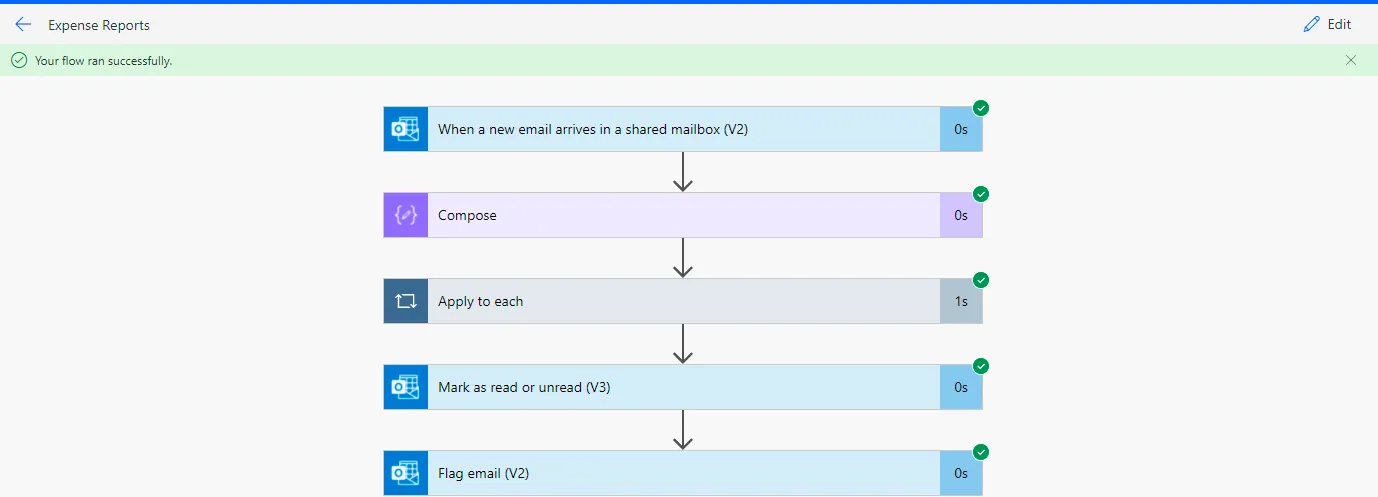
- Monitor a shared mailbox for messages that contain the words “expense report”
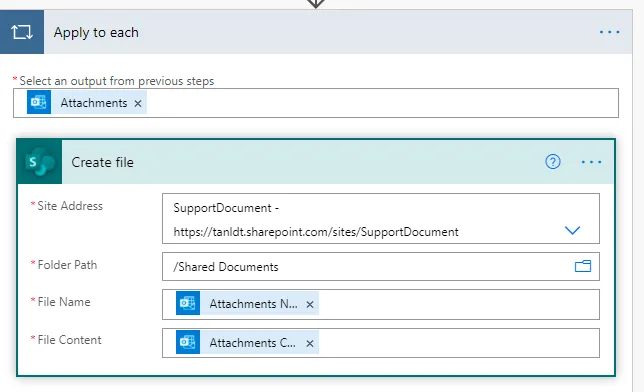
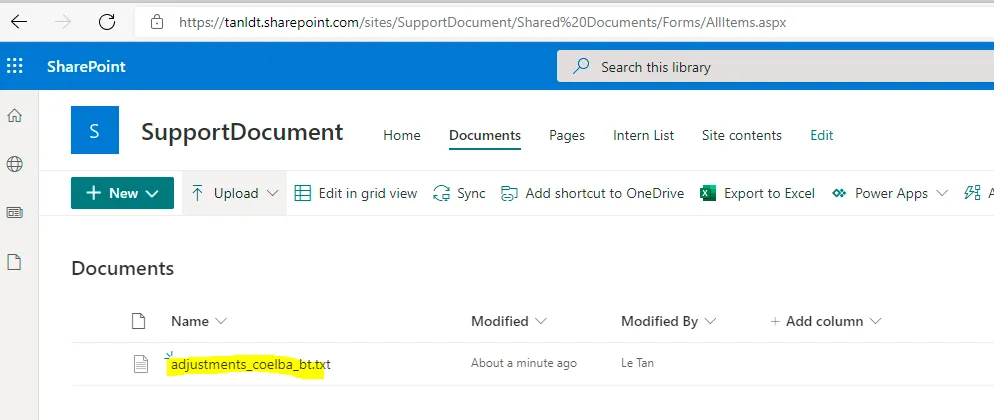
- Save the attachment to a SharePoint library called ExpenseReports
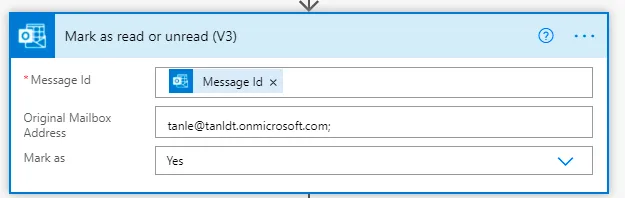
- Mark the email as read
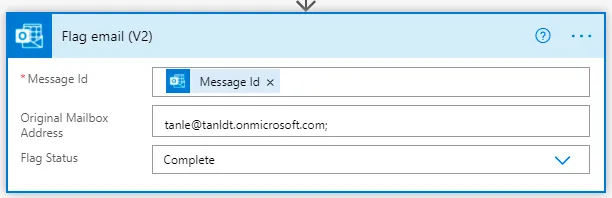
- Mark the email as complete
Solution
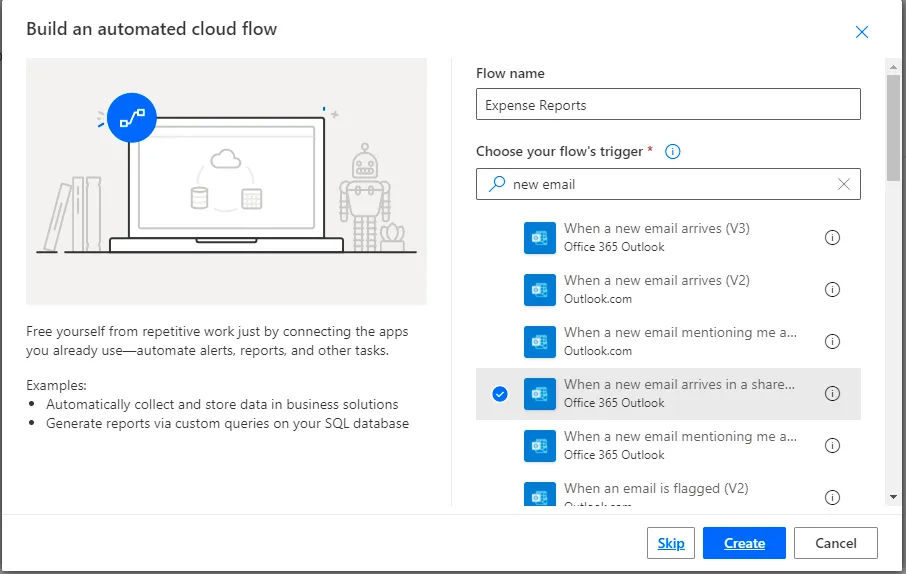
Enter a value for the flow name, then search the triggers for When a new email arrives in a shared mailbox (V2):
Select the SharePoint site:
Mark as read:
Flag the email:
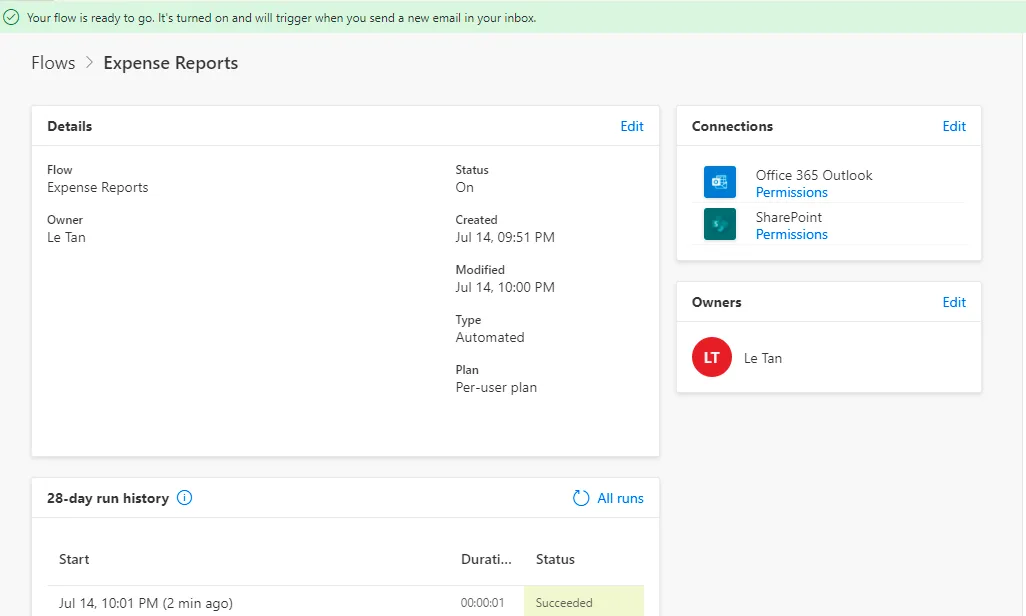
Result
First published on tanldt.blogspot.com on Jul 14, 2021.