Receiving real-time webhooks with an Azure Function
A C# HTTP-triggered Azure Function that receives SkyBox invoice webhooks in real time, with the subscription request and HMAC signature check.
From the archive · a 2022 working note, kept for reference.
What is a webhook? Ask Google :) 😅
This is my experience building an Azure Function HTTP trigger to receive events from the SkyBox API webhook.
Business requirement: real-time integration of invoices with the SkyBox API webhook. Whenever SkyBox has a new or updated invoice, their service sends the JSON message to my API.
Solution
Step 1: Build a C# HTTP trigger function and deploy it to Azure Functions
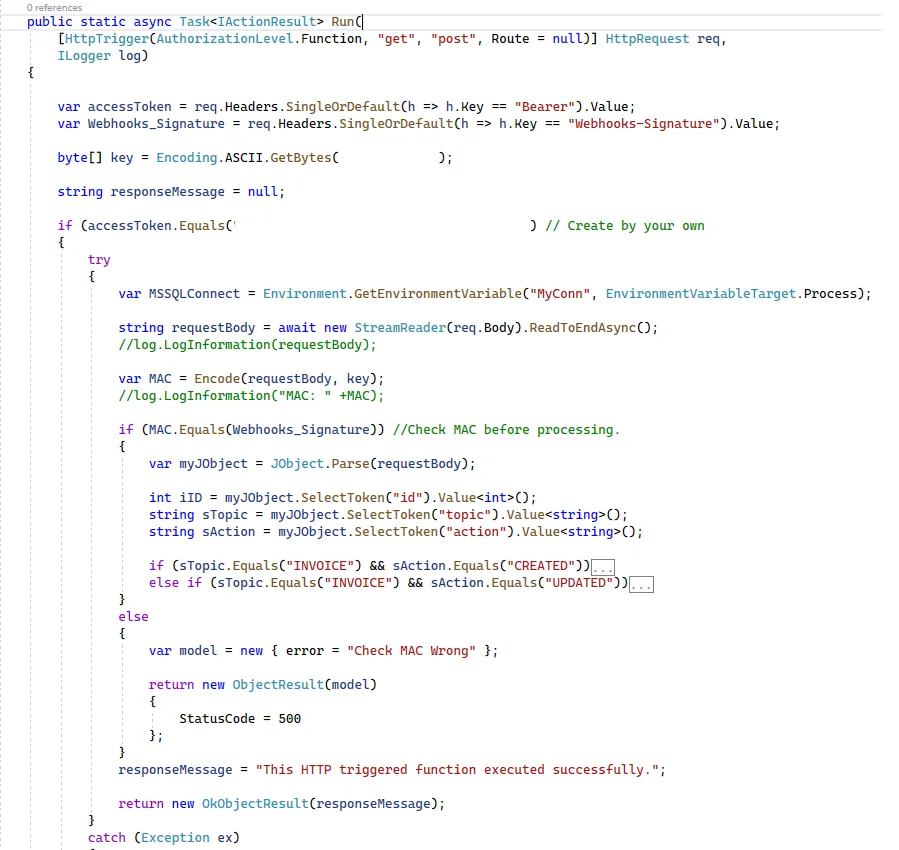
Depending on the business requirement, you can add more in your own code.
Step 2: Add a subscription
Send a POST to https://skybox.vividseats.com/services/webhooks:
{
  "topic": "INVOICE",
  "url": "https://<your-function-app>.azurewebsites.net/api/SkyboxReceiveInvoice?code=<function-key>",
  "headers": "Bearer: <token>",
  "secret": "<your-secret-key>"
}
Then open the Azure Function’s Monitor tab to see the messages coming in.
Note: checking the signature
The secret is used to sign the message. Here is the code.
Create the key:
byte[] key = Encoding.ASCII.GetBytes("<your-secret-key>");Encode the payload to compute the MAC to check against:
public static string Encode(string input, byte[] key)
{
    HMACSHA1 myhmacsha1 = new HMACSHA1(key);
    byte[] byteArray = Encoding.ASCII.GetBytes(input);
    MemoryStream stream = new MemoryStream(byteArray);
    return myhmacsha1.ComputeHash(stream).Aggregate("", (s, e) => s + String.Format("{0:x2}", e), s => s);
}
First published on tanldt.blogspot.com on Mar 18, 2022.