← All posts
Uploading to S3 through an API Gateway service proxy, with subdirectories
Step-by-step notes for an API Gateway service proxy that reads and writes S3 objects in nested folders through a single {proxy+} resource.
From the archive · a 2021 working note, kept for reference.
This is a guide to creating the AWS API Gateway.
Assumption: the S3 bucket is named us-east-1-dev, with folders light/ → test_1/ → pdfs/.
Create the REST API
- Create a proxy resource.
- Select the service proxy:
- Resource Name:
proxy - Resource Path:
{proxy+}
- Resource Name:
- Click Create API.
- Select the option HTTP proxy.
- Endpoint URL: anything, e.g.
https://testing.com/{proxy}
- Endpoint URL: anything, e.g.
- Click Save.
Integration Request
- Integration type: AWS service.
- Select the desired region.
- Select the desired AWS service (S3 in my case).
- In subdomain, give the bucket name (e.g.
xxxx-us-east-1-dev). - HTTP method: select PUT if you want to upload an object, GET if you want to get it. Here it is PUT.
- In path override, give
{proxy}(to pass the bucket name dynamically). - Finally, the API Gateway service proxy needs a role ARN. For a detailed explanation of creating it, follow the documentation.
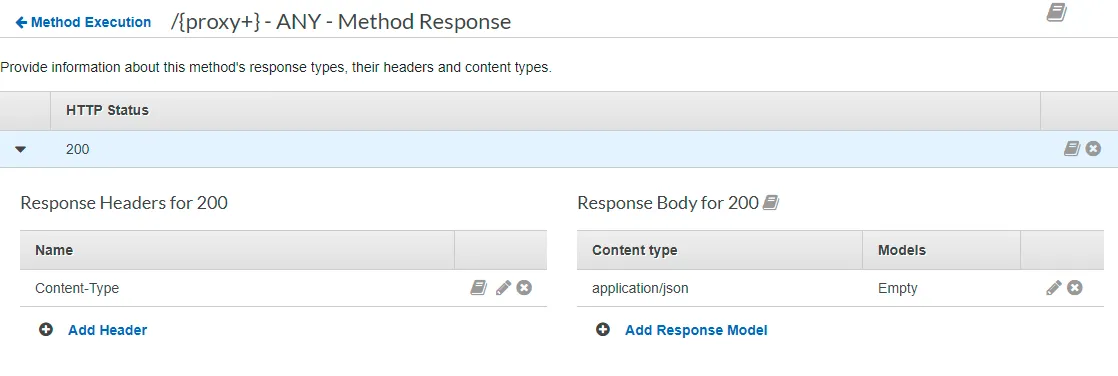
Method Response
HTTP Status: fill in 200.
Integration Response
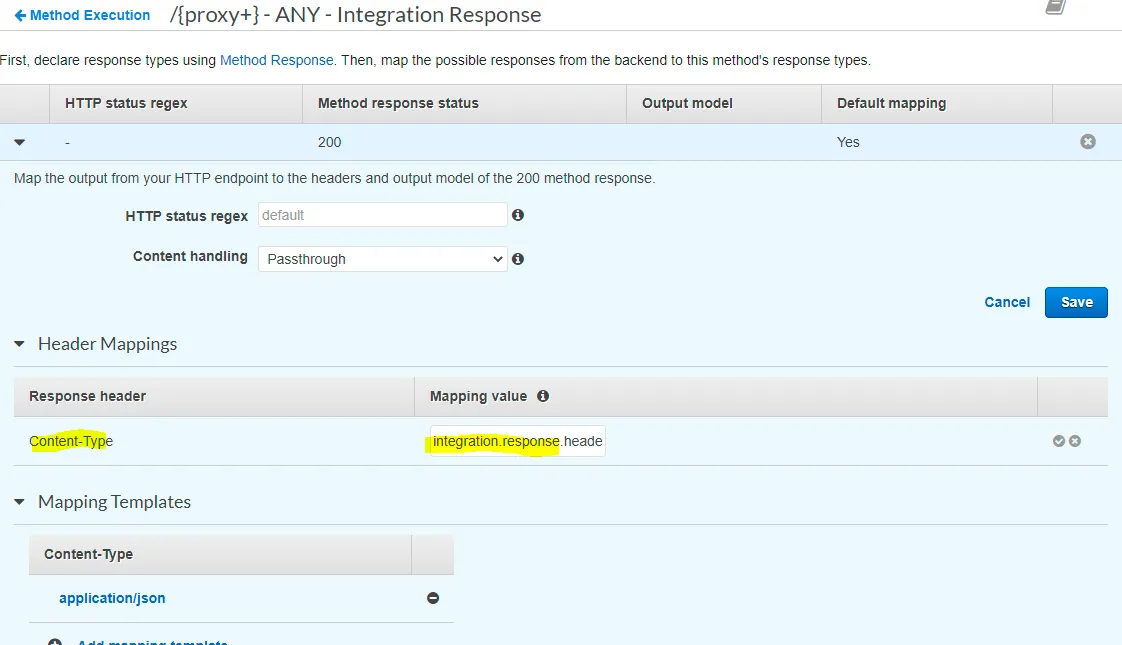
Fill in integration.response.header.Content-Type as the mapping value, then Save.
Test
Select the method you chose above. For the path, key in the file you want to get, e.g. light/test_2/pdfs/dummy.txt.
First published on tanldt.blogspot.com on May 26, 2021.